01
Visitor Detection
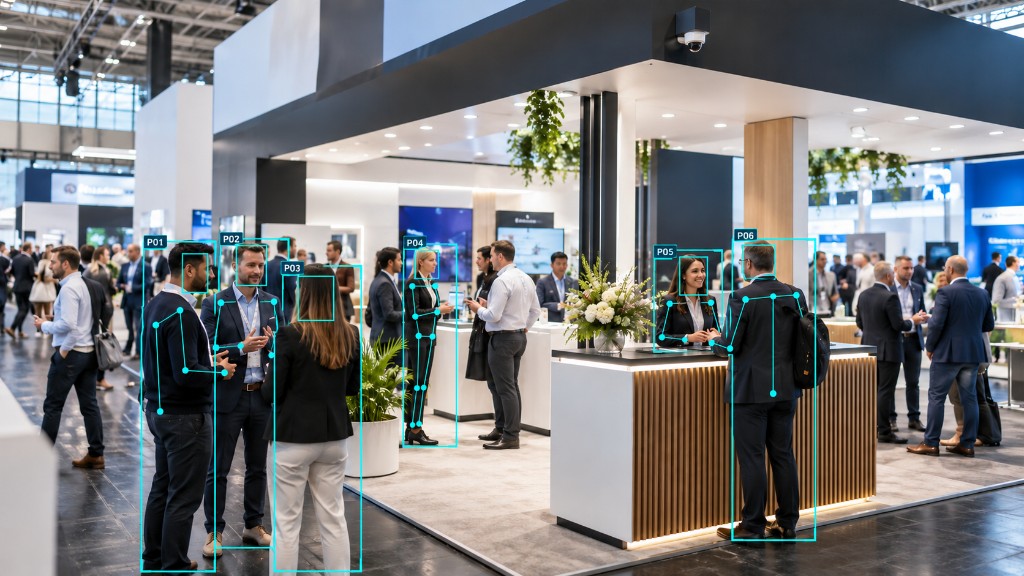
Cameras observe activity across configured event areas.
How it works
EVA is an event intelligence platform powered by computer vision and analytics. The camera is the capture mechanism. The intelligence is the product.
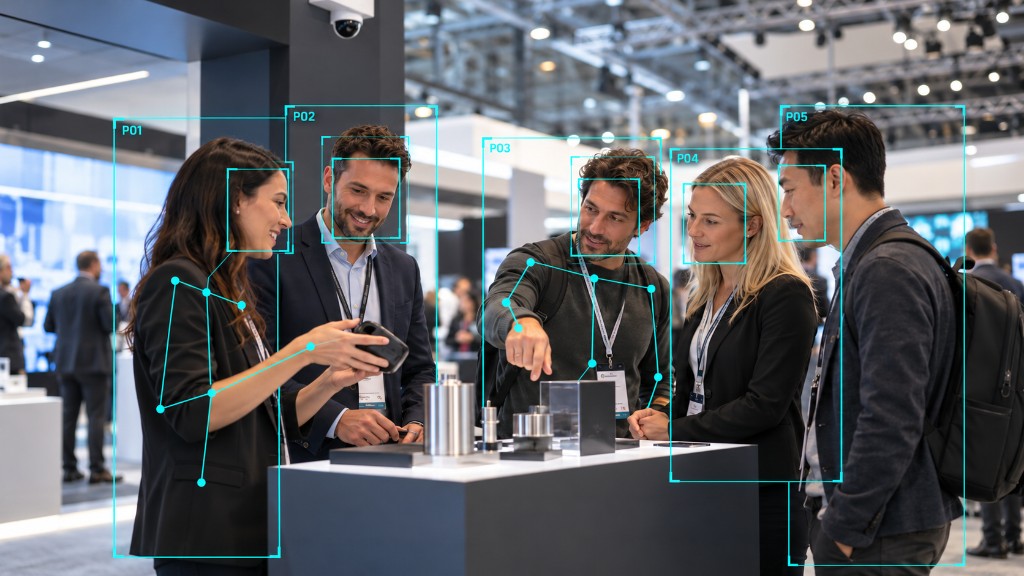
Cameras observe activity across configured event areas.
Entering, leaving, product interactions and staff interactions are recorded as activity.
Visitor count, dwell time, engagement, product interaction, repeat visits, heatmaps, staff interaction and sentiment.
EVA's processing and AI layer analyses event activity.
Insights are presented through the EVA dashboard.
Use event intelligence to understand performance and inform future decisions.
This describes a typical path from capture to dashboard unless a specific implementation has been confirmed.
Cameras are placed to work with the stand, not dominate it. Where existing cameras already cover the space, EVA can use those feeds if angle and quality allow.
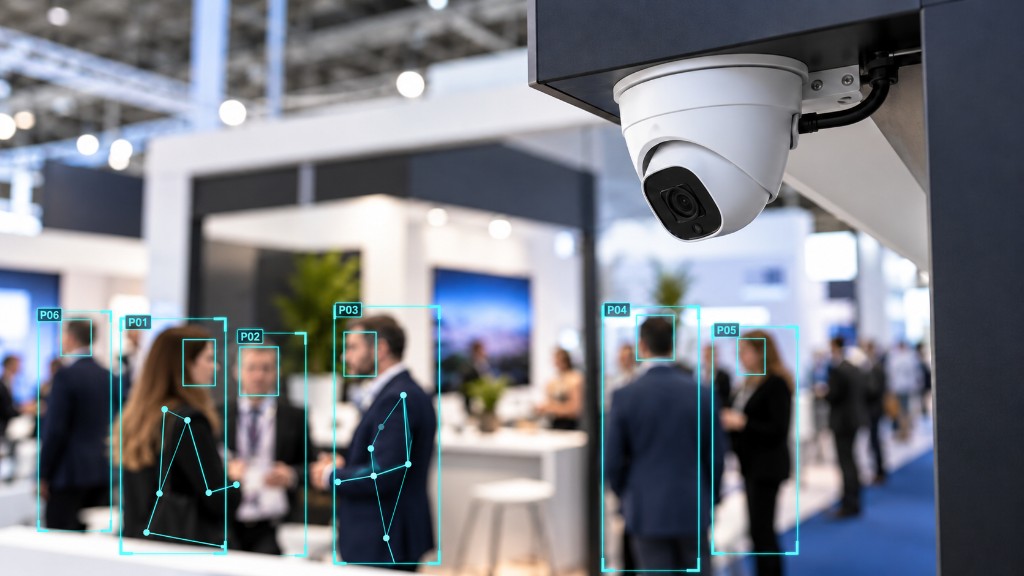
Capture activity across configured stand and event areas. Existing cameras can be used where angle, resolution and connectivity allow.
Connect capture hardware around the stand.
Provide secure connectivity from the event environment.
Process activity locally where required, so the dashboard receives analytics rather than a feed of named individuals.
Store and serve event intelligence securely. This is analytics about the stand, not a store of people.
Turn processed activity into dashboards and reports.
Cameras sit with the stand structure so they capture activity without becoming the exhibit.
If cameras already cover the space, EVA can use those feeds when angle, resolution and connectivity allow.
Activity can be processed locally where required. What reaches the dashboard is aggregated visitor intelligence, not a named individual.
The output is not only a number. It is evidence for staffing, layout, product placement and the next event brief.
Understand stand layout and analytics objectives.
Determine zones, camera positions and points of interest.
Deploy EVA technology around the stand.
Configure analytics for the environment.
Monitor the event.
Analyse the results during and after the exhibition.
The dashboard is the live view. After the event you also have a report stakeholders can use, and data you can take into your own analysis.
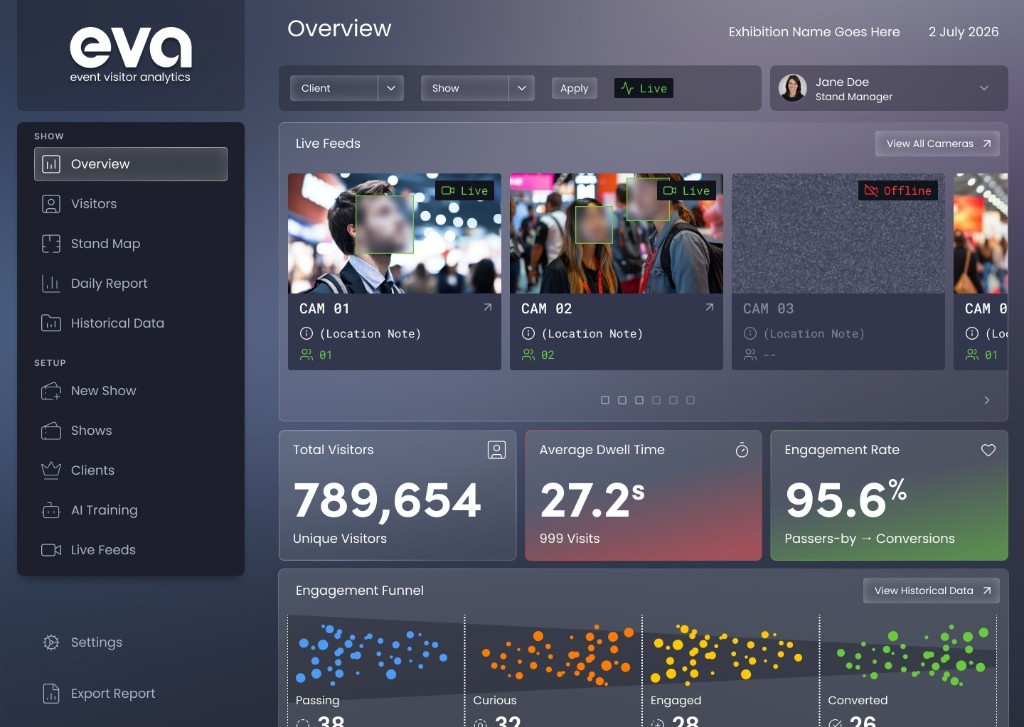
See visitor volume, dwell and engagement while the exhibition is still open.
A stakeholder view of what happened on the stand, not only who became a lead.
Take visitor, dwell and zone measures into your own analysis alongside leads and spend.
EVA uses cameras to capture activity, but it is an event intelligence platform. The value is the analytics - visitors, dwell, engagement, journeys and reporting - not the hardware itself.
No. EVA is designed to understand activity on the stand, not to recognise who a visitor is. It does not attach a name, a biometric profile or a lasting identity to a visit. Marketing demonstrations use labels such as Visitor 0284. Those are anonymous visit identifiers, not people.
No. EVA is not a people database. What the platform is designed to keep is event analytics: visitor volume, dwell, engagement, zones and reports. A journey describes one anonymous visit and ends when the person leaves. There is no identity to store afterwards.
Depending on configuration, EVA can measure passers-by, stand entry and exit, unique visitors, dwell time, engagement, product and staff interactions, repeat visitors, points of interest, zones, heatmaps, hour-by-hour activity, live feeds, sentiment, historical comparison and event reporting.
Cameras are placed with the stand structure so they capture activity without becoming the exhibit. Cabling can be run with the build. Placement is planned with the stand designer so coverage and appearance are both considered.
Yes, where resolution, angle, frame rate and connectivity allow. Security cameras are often pointed for a different job, so zone-level analytics may still need dedicated capture. Existing feeds can support the deployment rather than replace it.
A typical report includes visitor volume, passers-by, dwell by zone, engagement, interactions, heatmaps, hour-by-hour activity and comparison with a previous event where the same measures were used. The live dashboard sits alongside that report during the show.
Yes. The dashboard is there for the team during and after the event. Exportable event data can sit next to leads, spend and your own analysis so marketing, sales and leadership are working from the same picture.
Typical EVA architecture processes activity before it reaches the dashboard, locally where required. Live camera views can be reviewed during the event where they have been configured. The product is not a library of footage of named individuals, and it is not designed to store people. Exact handling depends on the agreed configuration.
Most exhibition halls need prior approval rather than a blanket ban. EVA can provide a placement plan and a description of how activity is processed to support organiser sign-off.
Yes, if both were measured on the same basis. Zone divisions and metric definitions are recorded on the first deployment and reused next time, so a new layout or staffing plan becomes a decision rather than a preference.
The typical path is plan, configure, install, calibrate, measure and learn. Earlier involvement makes zones, camera positions and points of interest more effective, and makes teardown and comparison straightforward.
By stand size, the number of zones to separate, camera count and event duration. Share a floor plan and dates and we will propose a setup. Book a demo if you want to talk it through before you have an event in mind.
Book a demo and we'll map EVA to your layout, zones and event objectives.